What is OSINT? Open-source intelligence explained simply
OSINT stands for open-source intelligence: answering a specific question using information that anyone can lawfully see, such as news reports, public records, maps, websites and photos posted in public. It isn't a single tool or website. It's a method: you ask a clear question, collect public information, check it, and write down what you found and how sure you are. This guide explains where the term comes from, what counts as "open", who uses OSINT and how the process works, with a worked example you can follow.
What OSINT means
The word has two parts, and both matter.
- Open source here doesn't mean open-source software. It means the source of the information is open: published, broadcast, or available to the public without breaking into anything or tricking anyone.
- Intelligence doesn't mean secret information. It means information that has been collected, checked and analysed to answer a question someone actually needs answered.
So a pile of search results isn't OSINT yet. It becomes OSINT when you have turned that raw material into an answer, with the evidence behind it.
Where the term comes from
Governments have studied public material for a long time. In February 1941, during the Second World War, the United States set up the Foreign Broadcast Monitoring Service to listen to and translate foreign radio broadcasts. According to the CIA's own history of the service, it later became part of the CIA as the Foreign Broadcast Information Service. Radio, newspapers and magazines were the open sources of that time.
The term later made it into US law. The National Defense Authorization Act for 2006 described open-source intelligence as intelligence "produced from publicly available information" that is collected, analysed and shared in time to answer a specific question. Two ideas from that definition are worth keeping: the information is public, and the work exists to answer a question.
What changed since 1941 is scale. Today almost everyone carries a camera connected to the internet, satellites photograph the planet every day and old web pages are archived. That's why OSINT is no longer only for governments.
What counts as "open" and what doesn't
This is the most important line in OSINT, so it's worth being precise.
Open means information you can see lawfully, as any member of the public could:
- news articles, press releases and official reports;
- public government data, such as company registers, court notices or statistics;
- maps and satellite images;
- websites, including old versions saved in web archives;
- posts, photos and videos that their authors published in public;
- research papers and public datasets.
Not open, even if it's technically reachable:
- anything you get by guessing a password or getting past a login;
- private messages, private groups and accounts you'd have to trick your way into;
- data exposed in a breach or published without the owner's consent;
- personal documents that someone shared by mistake, such as an ID card in a public folder.
There's a second line too: "public" doesn't mean "free to use for anything". A person's photos may be public, but collecting them to follow that person is harassment, not research. Laws on data protection and stalking apply to public information as well, and they differ by country. Nothing in this guide is legal advice.
Why OSINT matters, and who uses it
Most of what you see online is never checked. OSINT is how people check it. Some examples of who does this every day:
- Journalists and fact-checkers confirm whether a viral photo or video shows what its caption claims, and where and when it was taken.
- Researchers use public records, archives and satellite images to study events they can't visit.
- Security teams look at what their own organisation exposes online, the same view an attacker would get, so they can fix it first.
- Businesses do due diligence: before signing a deal, they check that a supplier is registered, has a real address and isn't on a warning list.
- Ordinary people check whether a shop, job offer or loan app is real before paying, or see what information about themselves is public.
For a student or a young professional, the last two are the most useful. Knowing how to verify something before you forward it, pay for it or trust it protects you and the people in your groups.
How OSINT works: the intelligence cycle
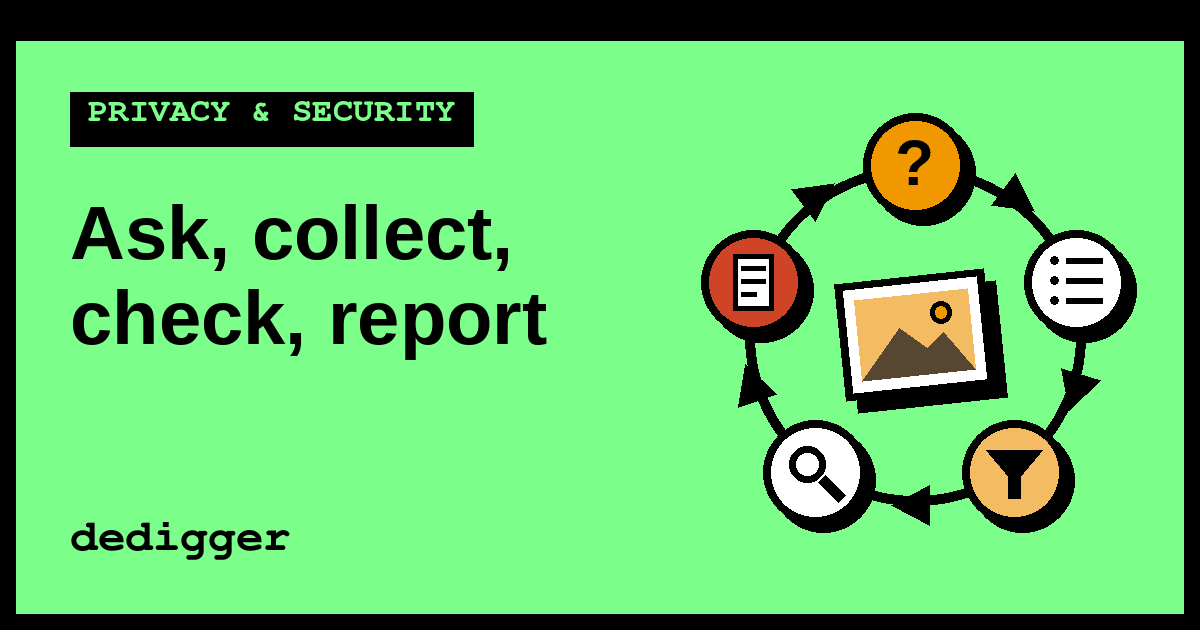
Analysts describe their work as a cycle, because the answer to one round often raises the next question. Here are the five steps, in plain words.
1. Question
Start with one precise question. "Is this photo fake?" is too vague. "Was this photo taken in Mumbai during this week's rain?" is something you can answer. A good question tells you what to look for and when to stop.
2. Collection
Gather public information that could answer it. Common methods are:
- searching with Google search operators, such as quotes for an exact phrase or
site:to search one website; - reverse image search, which finds other copies of a picture;
- reading a file's metadata, the hidden details about how and when it was made;
- web archives, which show how a page looked in the past;
- maps and satellite imagery.
Save what you find as you go: the link, the date you saw it and a screenshot. Pages change and get deleted.
3. Processing
Raw material needs sorting before you can use it. Translate posts in other languages, put events in time order, remove duplicates and note where each item came from. A simple table with columns for "what", "source", "date" and "link" is enough.
4. Analysis
Now compare the pieces and decide what they show. Ask of each source: who published this, how would they know, and does anything independent confirm it? One source is a lead. Two independent sources that agree are much stronger. If the evidence points in different directions, say so instead of picking the version you prefer.
5. Reporting
Write the answer so that someone else could check it: what you concluded, how confident you are, the sources with links, and what you still don't know. Confidence words help here, for example "very likely", "possibly" or "we couldn't confirm".
Then the cycle starts again. Your report often raises a new question, and you go back to step 1.
A worked example: checking a viral photo
Here's how the cycle looks on a typical case. This is an illustration of the method, not a real incident.
A photo arrives in a WhatsApp group: a street under water, with the caption "Our city right now, stay home!" Before you forward it, you run through the cycle.
- Question. Was this photo taken in our city during today's rain?
- Collection. You save the image and run a reverse image search on it. The results show the same photo on several websites. You also check whether the image has metadata, but forwarded photos usually arrive with most of it removed, so there's nothing useful there.
- Processing. You list each copy with its website and the date it was published. You notice one news article that used the photo three years ago.
- Analysis. The news article names a different city and was published long before today. Its page is saved in a web archive with that date, so the date wasn't changed later. Shop signs in the photo are in a language not used in your city, which points the same way. Two independent clues agree: the photo is real, but old and from somewhere else.
- Reporting. You reply in the group: "This photo is from a flood in another city three years ago. Here's the original article. It doesn't show today's rain here."
Notice what the example didn't need: no special software, no hacking, no information about the person who forwarded it. It took public copies of a public picture and careful reading. That's most of OSINT.
If you have the original file of a photo, not a forwarded copy, you can look at its metadata yourself with the free EXIF viewer, which reads it in your browser. More tools for checking files and pages are on the OSINT tools page.
Common mistakes beginners make
- Starting without a question. You end up clicking for hours with no way to tell when you're done.
- Trusting the first result. The first copy you find is rarely the original. Look for the earliest one.
- Treating "no result" as proof. A reverse image search that finds nothing doesn't prove a photo is new or real. It only means that search engine didn't find a match.
- Confusing "real" with "true". A photo can be genuine and still be used with a false caption, as in the example above.
- Not saving evidence. If the post is deleted tomorrow, your conclusion has nothing behind it.
- Forgetting the people involved. Checking a claim is fine. Looking up the private life of whoever posted it is not.
Ethics: what OSINT is for
The same skills can help or harm, so it's worth being clear. In this blog, OSINT is for three things: checking facts, protecting your own data and learning.
It is never for finding, identifying, following or locating a person. That rules out searching for someone by name, phone number, email or face, using people-search sites or face-recognition services, working out where someone lives from their photos, and publishing someone's personal details (doxxing). These cause real harm, and in many places they are crimes. Our OSINT articles don't cover them, and they never will.
If a search ever shows you personal data that was exposed by mistake, don't open, download or share it. Tell the website's owner, or in India report it to CERT-In, the national cyber security agency.
A practice exercise
Try one full round of the cycle on something neutral:
- Pick a famous photo of a public landmark from Wikimedia Commons, which hosts freely licensed images.
- Write your question: "When was this photo first published online, and does its description match the place?"
- Collect: run a reverse image search and note the five oldest copies you can find, with links and dates.
- Process and analyse: put them in time order and compare their captions with the Commons description.
- Report: write three sentences with your answer, your confidence and your sources.
It takes about twenty minutes, and it's the same routine professionals follow on harder cases.
What the next articles in this series cover
This is the first article of a beginner series on OSINT. The next ones go deeper into single steps of the cycle: whether OSINT is legal, what metadata is, reverse image and video search, the OSINT Framework, Google dorks, checking a domain's age, spotting AI-generated images, the Wayback Machine and writing an OSINT report. Each one uses neutral examples and the same rule: check claims, not people.
Frequently asked questions
Is OSINT the same as hacking?
No. Hacking means getting into systems or accounts without permission. OSINT only uses information that is already public and that you can see without breaking into anything. If a step needs a stolen password or a trick to get past a login, it isn't OSINT.
Do I need special tools to start?
No. A browser, a search engine, a reverse image search and a notes app cover most beginner work. Tools save time, but the method matters more: a clear question, careful sources and written notes.
Can I learn OSINT on a phone?
Yes, for many tasks. Reverse image search, web archives and maps all work in a phone browser. Longer investigations are easier on a computer, where you can compare pages side by side and keep a proper table of sources.
Is everything public online fair to collect?
No. Public information about events, organisations and places is fair to check. Collecting public information about a private person to track or expose them is harassment, and data protection laws may still apply even when the data is public.
One search tip a week, plus our new guides: follow dedigger on WhatsApp.