Parasite SEO: why fake Google Drive download files exist
Some links in this guide are affiliate links: if you buy through them, dedigger may earn a commission at no extra cost to you. Commissions do not decide what we include, and we also list options that pay us nothing.
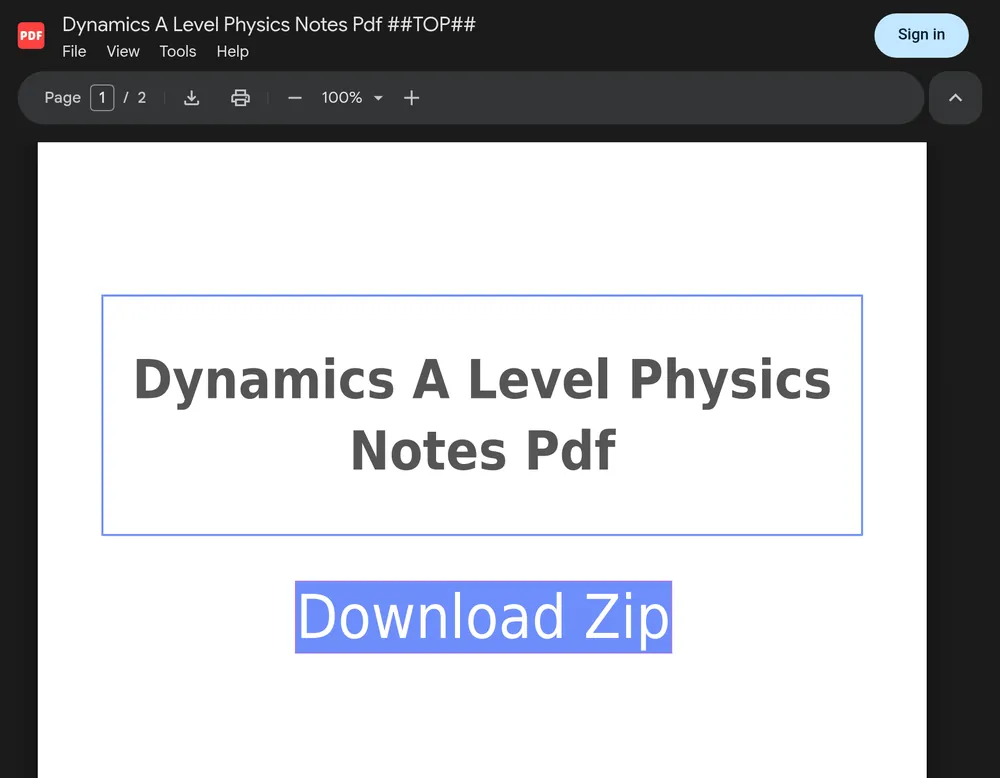
You search for a PDF, open a Google Drive result and find a page with the file's name in a box and a big Download button, but nothing else. That page is a product of parasite SEO: spammers publish thin pages on a website Google already trusts, in this case Google Drive itself, so they rank for searches their own sites never could. This guide explains how the trick works, why people do it, what can happen if you click and what we changed in dedigger to keep these files out of your results.
What parasite SEO is
The Google algorithm ranks pages partly on the reputation of the site they live on, and a brand-new website has none. Parasite SEO skips the wait: instead of building a reputation, you publish your pages on someone else's well-known site and let its reputation carry them. The host does the work, the parasite takes the traffic.
The usual hosts are platforms where anyone can publish: forums, free website builders, document-sharing services and public files on Google Drive. Not every article on a big site is parasite SEO. A useful guest article is there for its readers. Parasite pages are there to borrow rankings and send you somewhere else.
Google treats it as spam. Its spam policies include a site reputation policy, introduced in 2024, against third-party pages published on a host site mainly to take advantage of the host's ranking signals. A separate policy covers scaled content abuse: many pages generated to manipulate rankings instead of helping people, however they are made.
The parasite SEO trick on Google Drive
The version we see most on Google Drive is simple and made in bulk. A script creates a PDF of one or two pages, names it after something people search for and uploads it to Drive as a public file. Thousands of these files share the same template:
- The name is a search, not a file name. For example "Physics Cheat Sheet Pdf", "Periodic Table Class 10 Icse Notes Pdf Download" or "Wedding Invitation Card Design Psd Free Download".
- The first page has only the title and a Download image. The notes, template or app in the name are not in the file.
- The Download image is a link, usually to a URL shortener that redirects once or several times before you land anywhere.
Because the file sits on drive.google.com, it can appear in Google and in Drive search engines for long, specific searches where few real pages compete. A few visitors per file add up across thousands of files.
Why spammers do it
It costs almost nothing. Storing files on Drive is free, a script can name and upload thousands of them, and the host's reputation does the ranking. The money is made after the click, and that's why there is a URL shortener in the middle. It lets them:
- Hide the destination. You can't see where the button goes before you tap it.
- Change the destination of every file at once. When one site gets blocked or penalised, they point the shortener at the next one without touching the files.
- Send each visitor somewhere different, for example by country, or by phone versus computer.
- Count clicks, and sometimes earn from them. Some shorteners show ads before the redirect and pay the link's owner per visit.
The pages at the end pay per action: a signup, a subscription, an app install or a deposit. Online gambling pays some of the highest affiliate commissions, so casino offers are a common destination. One chain we followed ended on a German casino review site whose pages had all appeared in Google within the previous day, with every review signed by "Max Mustermann", the German equivalent of "John Doe". Sites like that are built to rank for a few weeks, collect commissions, get penalised and be replaced by a new domain.
What can happen if you click Download
Opening the file in Drive's preview only shows you a PDF. The risk starts when you tap the Download image inside it. These are the traps that usually wait behind these buttons:
- "Allow notifications to continue." The page asks for permission to send notifications to "unlock" the download. Once you allow it, the site can push fake virus alerts, prize messages and dating spam to your phone.
- "Verify you're human" with a survey or your phone number, which can sign you up for paid subscriptions.
- A file that isn't a PDF. An .exe, .apk or .scr file, or a password-protected .zip, instead of the notes you wanted. That's the classic way to install malware that steals saved passwords.
- A fake CAPTCHA that asks you to press keys, such as Windows+R, then Ctrl+V and Enter. That pastes and runs a command the page copied to your clipboard. Microsoft's security team calls this trick ClickFix and has seen it install information stealers. A real CAPTCHA never asks you to run anything.
If you already clicked
- Don't open anything you downloaded. Delete it.
- If you allowed notifications in Chrome on Android, go back to the site, tap the icon to the left of the address bar, then Permissions, and block Notifications. You can also turn notifications off for all sites in More > Settings > Site settings > Notifications.
- If you ran a file or a command, scan the device (Google Play Protect on Android, Windows Security on a PC) and change the passwords saved in that browser, starting with your email. A password manager such as NordPass makes it easier to give every account its own strong password.
How to spot a fake Google Drive file
You can usually tell before you click:
- The name has no file extension. A real upload is usually called something like
class-10-physics-notes.pdf. A bait file is called "Class 10 Physics Notes Pdf". - Every word is capitalised, including the file type ("Pdf", "Apk", "Mp4") and small words nobody would capitalise in normal writing.
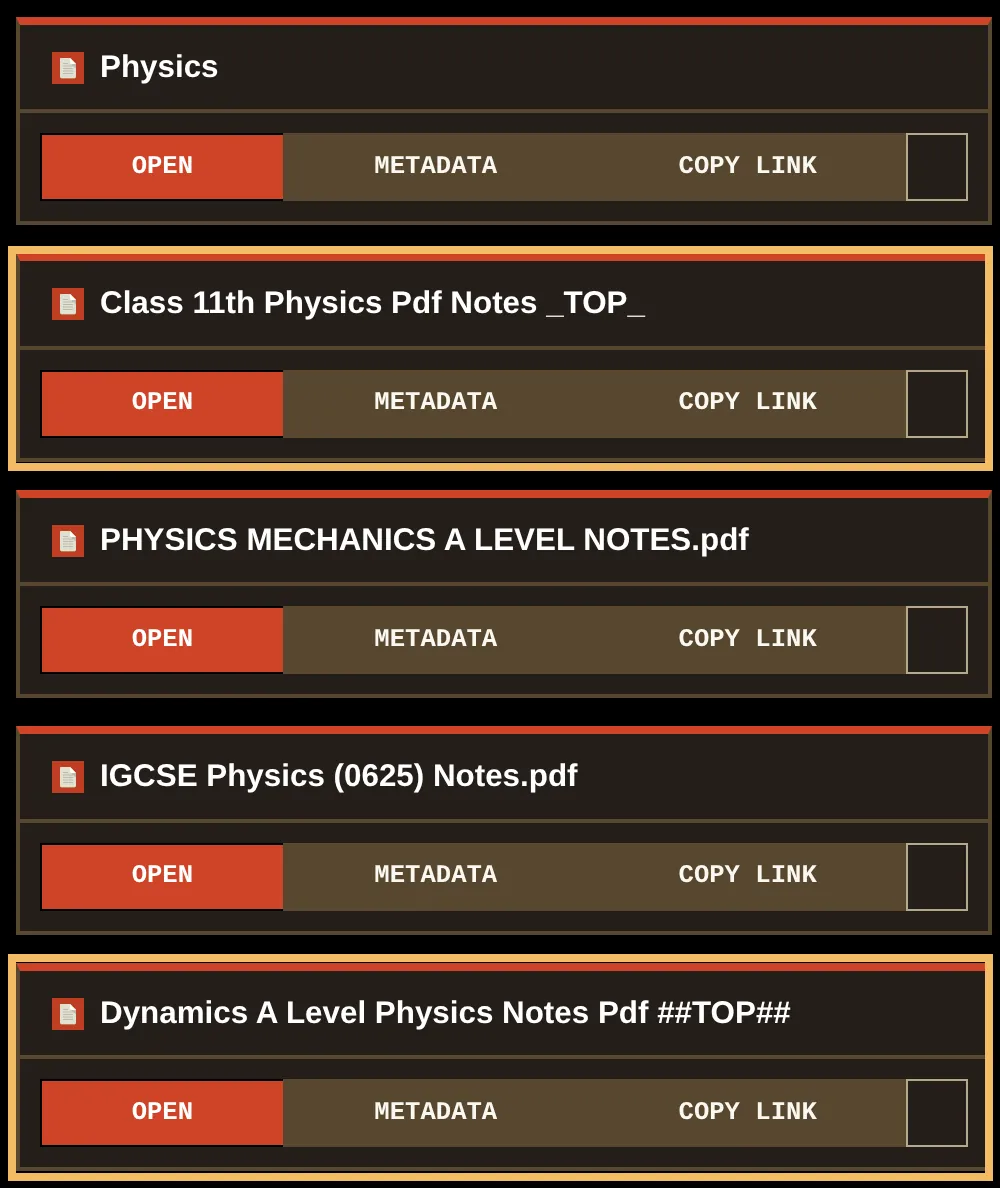
- The name has odd tags, such as !FREE!, [WORK], ##BEST##, _HOT_ or ((FULL)), or starts with an emoji.
- The name says "Free Download" or "Pdf Download", as if the file were a download page instead of the file itself.
- The preview has one or two pages with a title and a button, and none of the content in the name.
Drive's own download button is the arrow icon at the top of the preview, and it gives you the file you are looking at. A button drawn inside the page is just a link to somewhere else.
What we did in dedigger
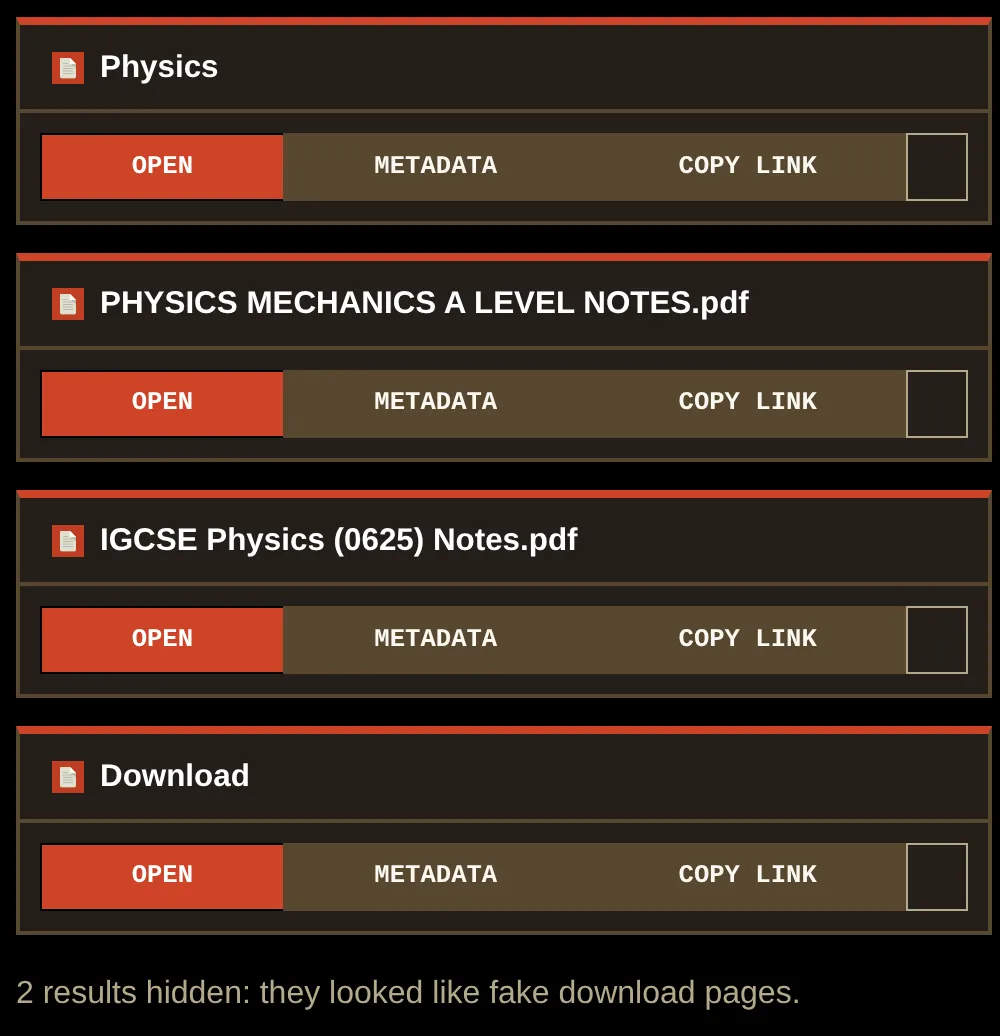
dedigger is a search engine for public Google Drive files, so these bait files turned up in our results too. In November 2026 we added a filter that checks every result before showing it. When a file's name matches the patterns above, dedigger leaves it out and says under the results how many it hid, for example "2 results hidden: they looked like fake download pages." That way a page full of bait doesn't just look empty.
Before turning it on, we ran it on 590 real results from 36 searches. It hid 86 of them, and none of the 86 was a real document. For the names we weren't sure about, we looked at the first page of the file, and every one was the same title-and-button template.
The filter is cautious on purpose:
- It never hides folders.
- It never hides a file whose name keeps its extension, such as .pdf or .docx.
- It runs in your browser, so your searches aren't sent anywhere for the check.
It won't catch everything: a few bait files have plain names and still get through. If you think dedigger hid a real file, write to us at info@dedigger.com with the search you used. To get more out of the results that remain, see how to search public Google Drive files with operators and file types.
How to report fake files
You can report a bait file to Google from a computer: open the file, click Help at the top, then Report, choose the type of abuse and click Submit report. Google says a report doesn't guarantee that the file will be removed, so treat it as a flag, not a fix.
For the sites these files lead to, use Google's page to report spam, phishing or malware in Search. Google says these reports help it improve its spam detection and that it may use them to take manual action.
Frequently asked questions
Is parasite SEO illegal?
Publishing on someone else's platform isn't a crime by itself, but parasite SEO breaks Google's spam policies, and pages that use it can be demoted or removed from search. What the pages lead to is another matter: spreading malware and signing people up for subscriptions they didn't agree to are illegal in many countries.
Is it safe to open a PDF on Google Drive?
Viewing a file in Drive's preview is generally safe, because the preview only shows its pages. The danger is in the links you tap inside the file and in downloads that turn out not to be a PDF.
Does dedigger hide every fake file?
No. The filter only hides files whose names follow the patterns spammers use, so a bait file with an ordinary name can still show up. If a result shows only a title and a Download button, close it and pick another one.
One search tip a week, plus our new guides: follow dedigger on WhatsApp.