Google dorks explained: safe searches for real research
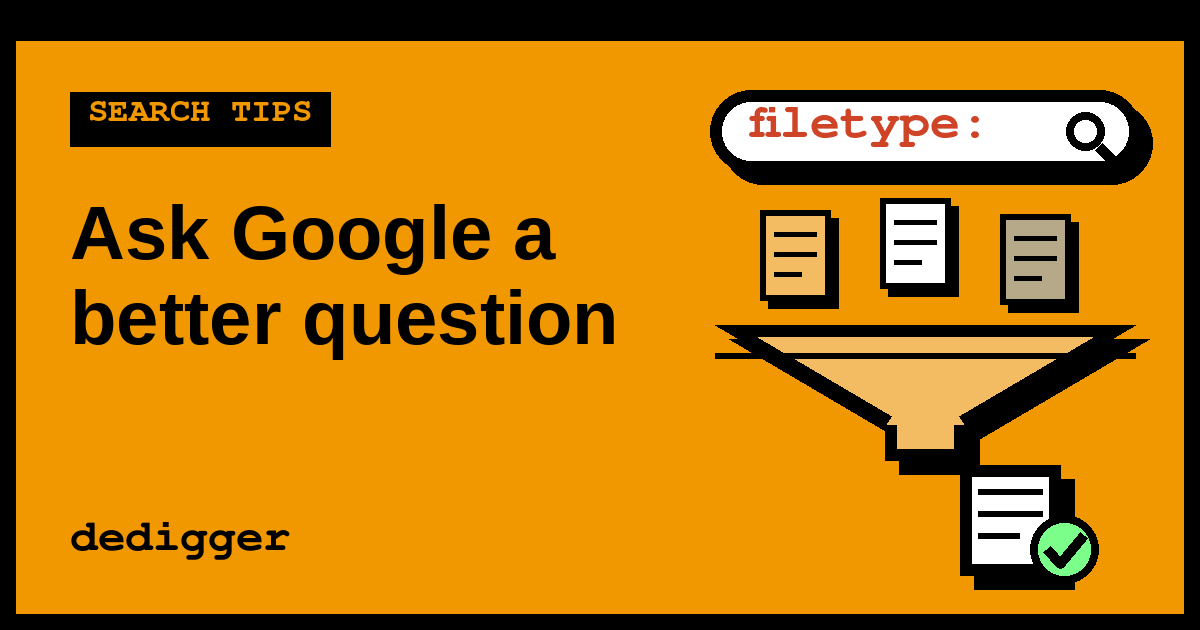
Google dorks are searches that combine Google's advanced operators, such as site:, filetype: and intitle:, to find one precise kind of page or file that a normal search buries. Researchers use them to pull government reports, datasets and old pages out of the noise in seconds. This guide explains what "Google dorking" means, how it works, safe examples you can try today and the one rule that keeps it on the right side: if a search shows something that was clearly published by mistake, you don't open it, you report it.
What Google dorks are
A Google dork (also called a "dork query") is a search query built from operators: short commands that tell Google where and how to look. A normal search like air quality report matches pages that mention those words anywhere. A dork like air quality report filetype:pdf site:gov.in asks for something much narrower: PDF files, on Indian government websites, that mention air quality reports.
Google dorking is the practice of writing these queries on purpose. It doesn't use any hidden feature or special software. Every operator in a dork is documented by Google and works in the normal search box, on a computer or on your phone.
Where the name comes from
The word comes from the security community of the early 2000s. Johnny Long, a security researcher, started collecting search queries that revealed embarrassing mistakes on websites, and nicknamed the careless site owners behind those mistakes "Googledorks". Over time "dork" stopped meaning the person and started meaning the query itself. His collection grew into the Google Hacking Database, which is now kept by the team behind the Exploit Database and is used by security teams to check their own sites.
That history explains why the term sounds a bit edgy. The technique itself is just precise searching, and most people who use it are students, journalists and researchers looking for documents.
Why Google dorks matter
Google dorks matter for two groups of people, and both belong to open-source intelligence (OSINT): research with information anyone can lawfully see. If OSINT is new to you, start with our beginner guide to OSINT in this blog and come back.
- Researchers and fact-checkers. The original source of a claim is often a PDF on an official site: a budget, an annual report, a court order, a survey. A dork finds that primary document directly, so you can quote the source instead of a blog that summarised it.
- Website owners. The same searches show you what Google has indexed from your own site. People are often surprised to find an old price list, a draft or a spreadsheet they uploaded years ago and forgot about. Finding it yourself, before anyone else does, is the defensive use of dorking.
There is also a reason to understand dorks even if you never write one: knowing that anything public and linked can be searched this precisely is a good reminder to check sharing settings before you put a file online.
How Google dorking works
Google constantly visits public web pages and files and stores them in its index, a huge catalogue of what each page contains, where it lives and what type of file it is. Operators let you filter that catalogue by those details instead of only by words. A dork doesn't reach into a website; it only asks Google about pages Google has already seen in public.
The operators you'll use most are covered with examples in our Google search operators cheat sheet, so here is just a quick reminder of what each one filters:
| Operator | Filters by | Example |
|---|---|---|
site: | One website, or one part of it | site:gov.in |
filetype: | File type, such as PDF, XLSX or PPTX | filetype:pdf |
intitle: | Words in the page title | intitle:"annual report" |
inurl: | Words in the web address | inurl:syllabus |
"quotes" | An exact phrase | "monsoon rainfall" |
-word | Leaves a word out | -sample |
before: / after: | Publication date | after:2024-01-01 |
The power comes from stacking them. Each operator removes a slice of irrelevant results, so three or four together can turn millions of results into a short list worth reading.
Two things to keep in mind. First, Google treats operators as strong hints, not database commands: it can still show a result that doesn't match perfectly or leave out pages that would. Second, a dork only finds what Google has indexed. Files that are private, behind a login or never linked from anywhere public don't appear, however clever the query.
Safe Google dork examples you can try
Every example below looks for material that its owners published on purpose. Copy them into Google and change the topic words to your own.
Reports on government and university sites
filetype:pdf site:gov.in "annual report" 2024finds annual reports published as PDFs on Indian government websites.filetype:pdf site:ac.in syllabus "computer science"finds syllabi on Indian academic sites, which mostly use theac.indomain.site:nic.in intitle:notification recruitmentnarrows to pages whose title mentions a notification, useful when a job post on social media claims to quote an official notice.
Datasets and spreadsheets
filetype:csv rainfall districtfinds raw data files, which you can open in Google Sheets.filetype:xlsx site:gov.in censuslooks for published spreadsheets on official sites.
Data found this way often lacks a description, so check who published it and when before you rely on it.
Old or changed pages
site:example.com before:2020-01-01shows pages Google dates before 2020, handy for seeing what a site said earlier."exact sentence from the claim" -site:example.comfinds other sites that repeat a sentence, which helps you trace where a quote first appeared.
Checking your own website
If you run a blog, a shop or a college club site, these queries show what Google holds from it. Replace example.com with your own domain:
site:example.com filetype:pdf, then the same withxlsx,docxandcsv, to list every document Google has indexed.site:example.com inurl:draftorinurl:testto spot pages that were never meant to go live.
If you find something that shouldn't be public, delete the file or move it behind a login on your site first. Then use the Removals tool in Google Search Console to hide it from results quickly while Google updates its index. Blocking a page in robots.txt alone isn't enough, because the file is still reachable by anyone who has the link.
dedigger: a ready-made dork for Google Drive
A common dork is site:drive.google.com plus a topic, which finds files their owners shared publicly on Google Drive: templates, notes, slides and datasets. dedigger runs that kind of search for you and adds what Google's results page lacks for files: file-type filters, newest-first sorting and thumbnails. It's the same principle, packaged so you don't have to remember the operators.
The rule: don't open what was exposed by mistake
Precise searches sometimes surface things that clearly weren't meant to be public: a list of students with phone numbers, scanned ID cards, a spreadsheet of customer details. Being able to see something in search results does not make it yours to use. When that happens:
- Don't open, download or share it. Close the tab. Don't take screenshots and don't forward the link "to show someone".
- Tell the owner. Most sites have a contact page or an email address in the footer. Say which address you found in search results, without attaching the data.
- If it's a government or large organisation and nobody replies, report it to CERT-In, India's national computer emergency response team. Its website lists the incident reporting address, incident@cert-in.org.in.
The same line applies to anything beyond search: a dork lets you read what Google shows, never try passwords, guess hidden addresses or get past a login. If you want the legal background, our article on whether OSINT is legal covers India's IT Act and data protection rules (it isn't legal advice). This article also leaves out dorks for finding people, cameras or login pages on purpose: they lead to private data, not research.
A worked example: tracing a statistic to its source
Say a message in a group chat claims that "a government report says forest cover in India increased last year", with no link. Here's how a dork gets you to the source:
- Write the question. "Is there an official report on India's forest cover, and what does it actually say?"
- Start broad. Searching
India forest cover reportreturns news articles and opinion pieces, each quoting a different number. - Narrow to official PDFs. Try
"forest cover" report filetype:pdf site:gov.in. Now the results are documents from government websites rather than articles about them. - Add a date. Add
after:2024-01-01to drop old editions, since reports like this are often published every two years. - Read the source. Open the official report from the ministry or agency's own site, find the summary table and compare the figure with the claim. Note the exact page.
- Report back. Reply with the link, the page number and what the report actually says, including any detail the forward left out, such as whether the increase is for forest cover or for tree cover outside forests.
Nothing in that process touched private data. You just asked Google a much better question.
Common mistakes with Google dorks
- Adding a space after the colon.
site: gov.inmay be read as two separate words. Writesite:gov.in. - Stacking too much at once. If you get zero results, remove one operator at a time to find which one is too strict.
- Trusting the domain alone.
site:gov.inis a strong filter, but always open the page and check which department published it and when. - Assuming nothing exists because nothing appears. Google doesn't index everything, and operators can miss pages. Try a variant or another search engine.
- Copying dork lists from random sites. Many lists online mix research queries with ones designed to find private data. Write your own from the operators you understand.
A practice exercise
Spend fifteen minutes on this, using only public, neutral material:
- Pick a topic you're studying, such as solar energy, a state budget or a historic monument.
- Search it normally and note what kind of results you get.
- Write a dork that returns only PDFs from official or academic sites:
filetype:pdf site:gov.inorsite:ac.inplus two topic words. - Add one more filter, either a date with
after:or an exact phrase in quotes, and compare how many useful results remain. - Open the best document and write down who published it, when and one fact you can quote with its page number.
If you have your own website, repeat steps 3 and 4 with site: and your domain and see what Google has kept. You can find more beginner tools for checking files and sources on our OSINT tools page.
Frequently asked questions
Is Google dorking illegal?
Using search operators is a normal feature of Google, and searching for public reports, datasets or your own site's files is ordinary research. What can break the law is what comes after: opening, downloading or using personal data that was exposed by mistake, or trying to get past a login. Stay with public material published on purpose, and report accidental exposures instead of using them.
Do Google dorks work on a phone?
Yes. Type the same query into the Google app or into Chrome's address bar on Android. The operators work the same way as on a computer; only typing the colon and quotes is a little slower.
Do other search engines support dorks?
Many do, with some differences. Bing supports site: and filetype:, and DuckDuckGo supports site: and filetype: too. If a query fails on one engine, check its help page for the operators it supports.
Why does Google ignore my operator?
Usually because of a typo, a space after the colon or a filter that is too strict for the topic. Google may also loosen a query on its own when it finds few exact matches. Simplify the query and add operators back one at a time.
One search tip a week, plus our new guides: follow dedigger on WhatsApp.